Collaborative coding of qualitative data
Coding qualitative data is a huge undertaking. Even with relatively small datasets, it can be a time-consuming and intensive process, and relying on just one person to interpret complex and rich data can leave out alternative viewpoints and risk key insights being missed


Coding qualitative data is a huge undertaking. Even with relatively small datasets, it can be a time-consuming and intensive process, and relying on just one person to interpret complex and rich data can leave out alternative viewpoints and risk key insights being missed. For one or both of these reasons, qualitative analysis is often performed as a collaborative team, with multiple coders either splitting up the task or providing multiple interpretations and checks on analysis.
Let’s look into the reasons that researchers might want to share the coding and analysis process, some practical and methodological considerations, and how to use qualitative software to collaborate on your data analysis.
Before you consider the best way to collaborate, you should establish who is involved in the analytic collaboration, and how many people will be collaborating – it could be just two people, or dozens (Cornish, Gillespie and Zittoun 2014). Your collaboration could be academic-academic, or could involve practitioners. Collaborative analysis can also involve ‘lay-persons’ through participatory analysis, something we’ve written about before. All of these will impact the tools and methods you use.
How to plan a collaborative qualitative analysis project
Enacting collaborative coding is a process to be managed all of its own. Richards and Hemphill (2018) describe this process in these stages:
- Planning the practicalities of how researchers will contribute
- Designing a codebook or framework
- Testing the codebook before coding
- A review of the process and results.
These basic steps are the same regardless of the analytical approach, and while Richards and Hemphill (2018) describe open and axial coding, pretty much any coding approach will work (e.g. IPA, grounded theory, thematic analysis or discourse analysis). Often a codebook or coding framework is agreed before coding starts, with all researchers discussing which themes they want to look for in the data, how they will be worded and defined, based around answering the research questions.
However, when using grounded theory or other approaches where codes/themes are generated during the course of the analysis, there is extra need for reviewing codes or themes as they develop. This also needs a set of rules, deciding when new codes will be created, if everyone can do it, guidelines for when to merge or group codes to themes etc.
There is also deciding how collaboration will happen – will it be in person? Remotely? If so, over the phone? Video chat? Directly in qualitative analysis software? The practicalities of this (especially distance and capabilities of the software) will dictate much of what is realistic, but note that collaboration could involve anything from a long structured workshop session to a chat over coffee.
Assigning work to a qualitative analysis team
You may assign different roles to different collaborators. For example, there may be primary and secondary coders in a hierarchy, or they may have the same role and status in decision making.
Depending on the volume of data, researcher time and methodological approach to validity, the work can be assigned in many different ways:
- Everyone could code all of the data. Sometimes this is for the purposes of inter-rater reliability or validity – ensuring that everyone is on the same page. It can also spark more qualitative discussions, regarding any divergences or disagreements on what should be coded.
- Data and sources could be split between the team. Especially if you are working with a large number of sources, sources may be split up so that researchers only have to code part of the data. If you are still using inter-coder reliability, a handful of sources may still be coded by everyone for the purpose of comparison.
- One researcher might sense-check the analysis of others, reviewing already coded work to see if anything was missed, or questioning interpretation.
- Themes for analysis could be split between the team. It’s relatively unusual to split work by theme, with one person coding a single topic area. Since qualitative data has to be read through completely anyway, coders may as well work with all the topics and themes in the project. However, this approach may make more sense if team members have different areas of expertise, and are therefore expected to have different focuses during the analysis process.
Collaborating on coding in qualitative analysis software
Most qualitative analysis software supports the ability to send project files to other users, so that coding can be reviewed, updated collaboratively or merged together for comparison. Quirkos is no exception to this, with this functionality available in both the offline and online versions.
But Quirkos Cloud also allows for live collaboration on the same project, similar to Google Docs. This provides a unique and flexible way to collaborate on qualitative projects. With data stored remotely on the cloud, users can log in from any computer, access projects, and edit and discuss them in real time. This eliminates the need to ‘manage’ project files: knowing who has edited a file and when, where it will be stored, and who has worked on it.
It also allows flexibility for researchers to contribute to the project as and when they have time. It doesn’t require everyone to work on the project at set times, and this is very useful when working across time-zones (or teaching schedules!).
The live chat feature in Quirkos Cloud is a totally unique and popular feature. Part of the challenge in analysing qualitative data as part of a team is having a way to log changes and decisions, and to discuss issues with others. The chat function allows teams to do this in a familiar and intuitive way, recording and saving the conversation, user and time of each comment. This acts as an easy-to-read playback of the analytical process, as well as a place for more informal communication, discussing practicalities or process.
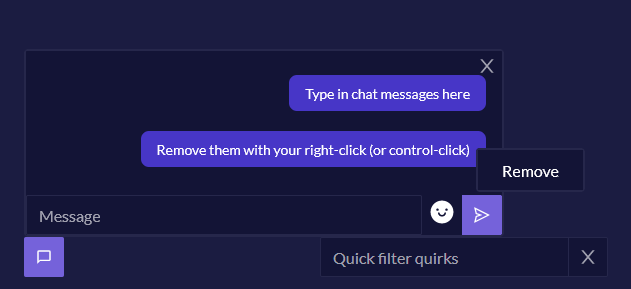
The chat feature is also available in static offline projects too (which have identical files and features). This means that you can also use the ‘chat’ for a reflexive coding journal, or to keep project level notes and analytic writing attached to the project.
There are now a couple of other qualitative software tools that allow live collaboration, but we think Quirkos Cloud remains the easiest and most cost-effective to work with, with cross-platform support for Windows, Mac and Linux. And live collaboration is included for free with the basic Quirkos Cloud subscription (from $60 USD/year for students), rather than being an expensive paid add-on. (By contrast, NVivo asks you to pay $99 USD/year* just for the ability to collaborate in the cloud – on top of a $130/year* licence fee, at minimum!)
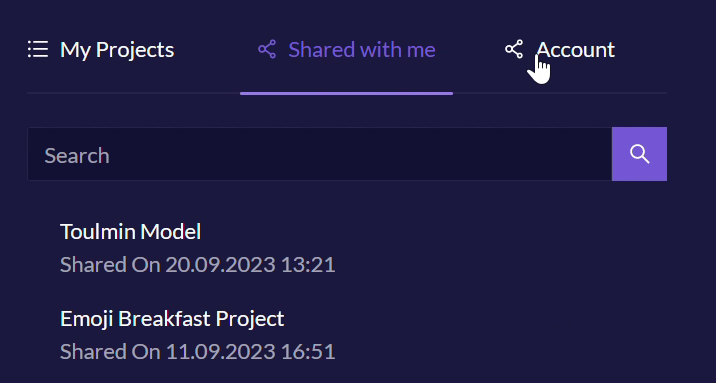
In Quirkos Cloud, there is no limit to the number of projects you can share, or the number of users on each project. It’s easy to share a project (you only need the user’s email address), and you can give full editing permissions or just 'read' access to each person as needed. All the projects are securely saved on our cloud servers so the whole team can access them from anywhere. You also always have the option to download the project and work with it offline.
We also offer free Quirkos licences for participants, so that they can be fully involved with the analysis process – please get in touch with us for more information.
Using the query view, you can get side-by-side views of different team members' coding, to see how you have differed and where everyone agrees. While we don’t provide any quantitative measures for inter-rater reliability or agreement, it’s still easy to find and discuss differences.
Yet the main benefit will be how whole teams can now collaborate using the simple and visual Quirkos interface. This means it’s quick for everyone to learn, fast to use while coding, and just plain fun to see the highlights and bubbles growing in real-time as people work on the projects. It really connects you to your project and team much more than passing around a static document.
You can try our intuitive software for yourself with a free trial from our homepage, with options for working online or offline. Or read more about the features here.
References
Richards, K. R., & Hemphill, M. A. (2018). A Practical Guide to Collaborative Qualitative Data Analysis, Journal of Teaching in Physical Education, 37(2), 225-231. Retrieved Feb 7, 2020.
Cornish, F., Gillespie, A. & Zittoun, T. (2014). Collaborative analysis of qualitative data. In Flick, U. The SAGE handbook of qualitative data analysis (pp. 79-93). London: SAGE Publications Ltd.
*Prices were checked on 20 March 2026, and may have changed since then.